描述流程,拿到录屏。
一条命令录下你的 Web 应用,交回视频、关键步骤的截图和运行手册 —— 正是 UAT、交接、缺陷报告或评审所要的证据,不用再花半小时手动录屏。
然后在智能体里输入
/webapp-evidence:recording - Claude Code
- Cursor
- Codex
- Gemini CLI
- Antigravity
为 UAT 而生
输入验收标准,输出可签字的证据
AI 让改动变快了,证明它能用却没有变快:验收测试依然是有人逐条点击每个标准、再手动录下来。改为把标准写成一个流程 —— 一次录制就能交回每条标准的画面,带时间戳,页面上的每个错误也都记录在案。
- 01
把标准写成流程
用平常的话写编号步骤,用团队习惯的语言。给一个 MR 或 PR 链接也行 —— 智能体会读改动并推导出流程。
- 02
一次录制跑完所有步骤
用可见的指针驱动 Chrome,速度让观看者跟得上。调用接口的步骤会断言状态码,错误的响应会让录制停下,而不是被当作证据交出去。
- 03
运行手册就是报告
每一步在视频里的时间、执行过的命令及其退出码,以及录制期间出现的每个控制台错误和失败请求。
- 04
签字,或者打回
评审者按时间戳逐条核对标准,不必重跑流程。修复之后,一句“再录一遍”就生成新的录制,旧的保留在旁边。
把这个页面当作 UAT 报告来读
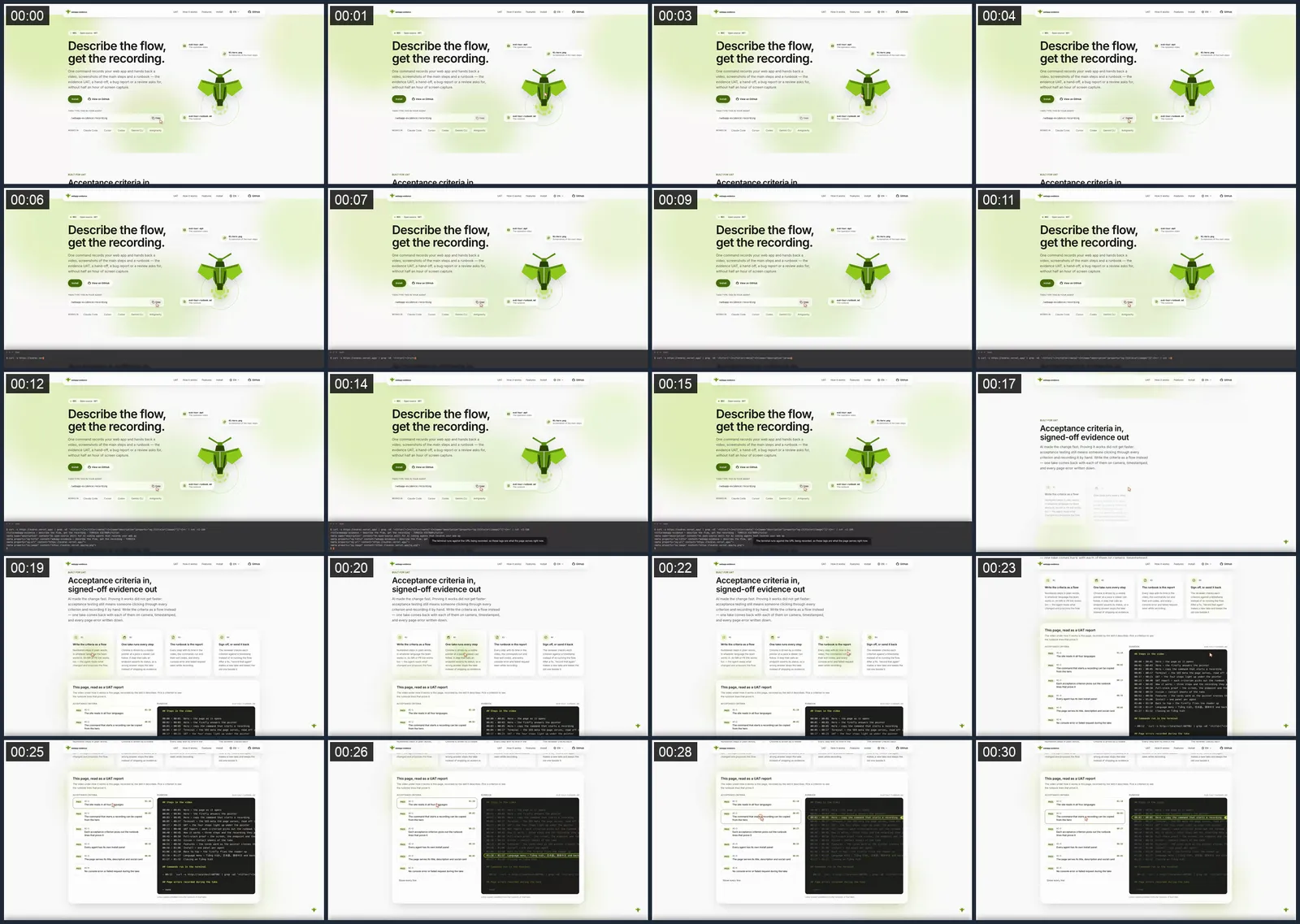
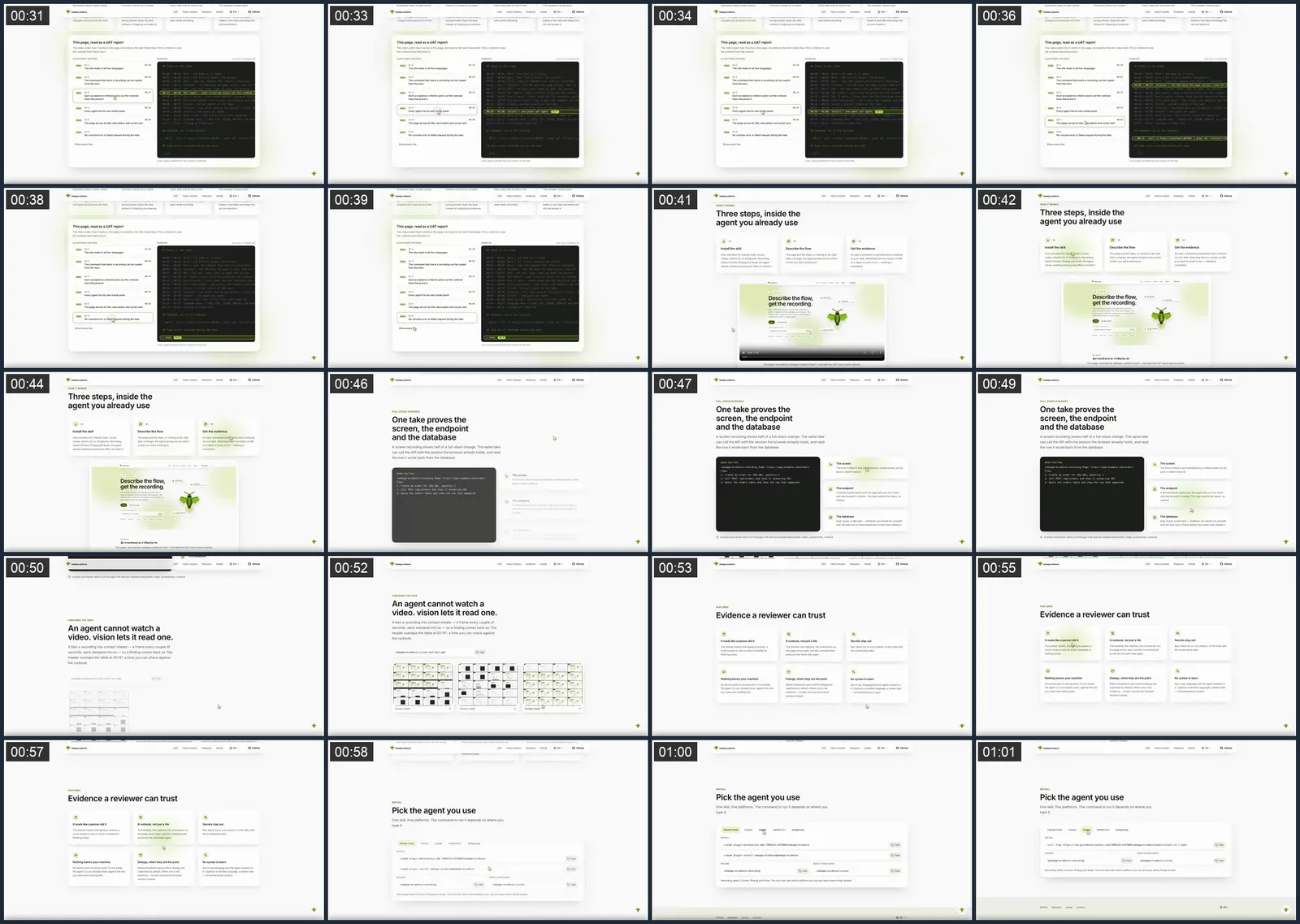
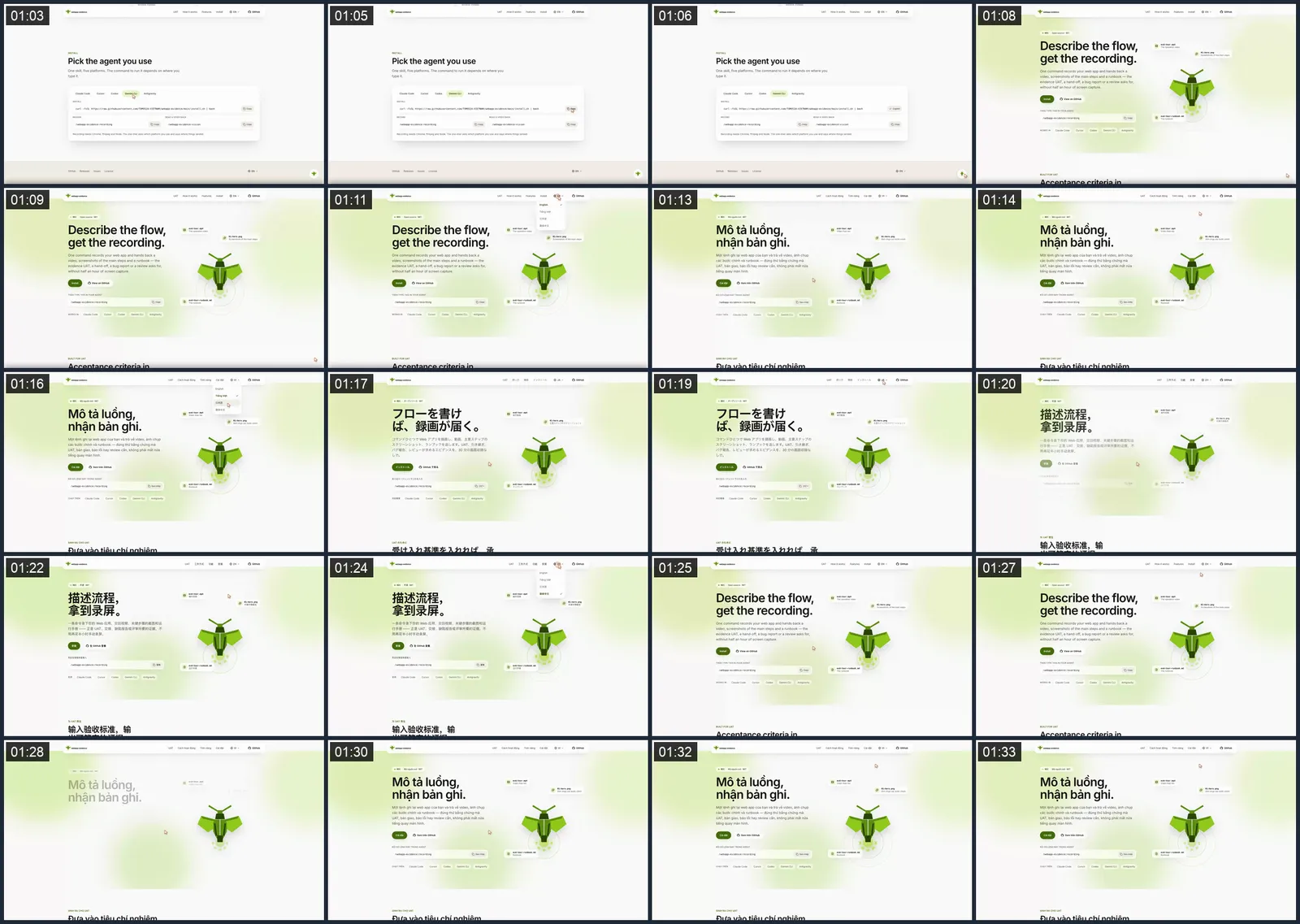
“工作方式”下的视频,就是用本页介绍的 skill 录下的本页。选一条标准,看证明它的运行手册行。
验收标准
- ## Steps in the video
- 00:00 - 00:01 Hero — the page as it opens
- 00:01 - 00:03 Hero — the firefly answers the pointer
- 00:03 - 00:05 Hero — copy the command that starts a recording
- 00:05 - 00:17 Terminal — the SEO meta the page serves, read off its URL
- 00:17 - 00:24 UAT — the four steps light up under the pointer
- 00:24 - 00:41 UAT report — each criterion picks out the runbook lines that prove it
- 00:41 - 00:46 How it works — three steps and the recording they produce
- 00:46 - 00:51 Full-stack proof — the screen, the endpoint and the database
- 00:51 - 00:53 Vision — contact sheets of the take
- 00:53 - 00:59 Features — the cards warm as the pointer crosses them
- 00:59 - 01:07 Install — one panel per agent
- 01:07 - 01:11 Back to top — the firefly flies the reader up
- 01:11 - 01:28 Language menu — Tiếng Việt, 日本語, 简体中文 and back to English
- 01:28 - 01:34 Closing on Tiếng Việt
- ## Commands run in the terminal
- - 00:12 `curl -s https://evdrec.vercel.app/ | grep -oE '<title>[^<]*</title>|<meta[^>]*(name="description"|property="og:(title|url|image)")[^>]*>' | cut -c1-100` — exit 0
- ## Page errors recorded during the take
- - none
以上各行原样抄自那次录制的运行手册。
工作方式
三步,就在你正在用的智能体里
- 01
安装 skill
Claude Code、Cursor、Codex、Gemini CLI 或 Antigravity,一条命令即可。录制需要 Chrome、ffmpeg 和 Node;缺什么,智能体会指出并提出帮你安装。
- 02
描述流程
写出页面和步骤,或者什么都不写:刚改完代码时,智能体已经知道你在做哪个页面。
- 03
拿到证据
一个 mp4、编号截图和运行手册,都在你的磁盘上。附到工单、MR 或报告里由你决定 —— 不会提交任何东西。
全栈证据
一次录制,证明页面、接口和数据库
录屏只展示了全栈改动的一半。同一次录制可以用浏览器已持有的会话调用 API,再从数据库读回它写入的那一行。
/webapp-evidence:recording Page: https://app.example.com/orders
Flow:
1. Create an order for SKU ABC, quantity 2
2. Call POST /api/orders and show it answering 201
3. Query the orders table and show the row that appeared-
页面
表单由可见的指针填写并提交,速度让观看者读得过来。
-
接口
页面上方打开一个终端面板,curl 带着浏览器的 Cookie 在里面运行。该步骤断言状态码,全程在画面中。
-
数据库
psql、mysql、一个 rake 任务 —— 你自己会跑的任何命令,新写入的行就出现在创建它的页面旁边。
Cookie 和令牌通过文件传给 curl,并在所有地方被遮盖:视频、截图、运行手册。
功能
评审者信得过的证据
-
看起来像真人在操作
指针会移动,打字有快有慢,滚动会停在它要去的地方。没有任何跳变。
-
是运行手册,而不只是文件
时间线、字幕、执行过的命令、遇到的页面错误,以及重现同一次录制的命令。
-
机密不入镜
模糊、涂黑或剪掉一段,视频和截图一视同仁。
-
一切都不离开你的机器
没有服务,没有机器人账号。它在你已有的智能体 CLI 里运行,只针对你指定的站点。
-
当对话框本身就是证据
原生下拉框和 confirm 对话框默认以字幕记录。当它本身就是证据时,--screen 会改为录制整个浏览器窗口。
-
没有语法要学
用任何语言提问,智能体就用那种语言回答。另一种语言的字幕、更慢的录制 —— 按项目记住。
安装
选择你用的智能体
一个 skill,五个平台。运行它的命令取决于你在哪里输入。
Claude Code
安装
claude plugin marketplace add TOMOSIA-VIETNAM/webapp-evidence claude plugin install webapp-evidence@webapp-evidence 录制
/webapp-evidence:recording 读回一个视频
/webapp-evidence:vision Cursor
安装
curl -fsSL https://raw.githubusercontent.com/TOMOSIA-VIETNAM/webapp-evidence/main/install.sh | bash 录制
/webapp-evidence-recording 读回一个视频
/webapp-evidence-vision Codex
安装
curl -fsSL https://raw.githubusercontent.com/TOMOSIA-VIETNAM/webapp-evidence/main/install.sh | bash 录制
$webapp-evidence-recording 读回一个视频
$webapp-evidence-vision Gemini CLI
安装
curl -fsSL https://raw.githubusercontent.com/TOMOSIA-VIETNAM/webapp-evidence/main/install.sh | bash 录制
/webapp-evidence-recording 读回一个视频
/webapp-evidence-vision Antigravity
安装
curl -fsSL https://raw.githubusercontent.com/TOMOSIA-VIETNAM/webapp-evidence/main/install.sh | bash 录制
/webapp-evidence-recording 读回一个视频
/webapp-evidence-vision 录制需要 Chrome、ffmpeg 和 Node。一行安装命令会询问你用哪个平台,并告诉你装到了哪里。